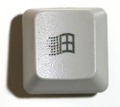
Discovered by accident – if you press the Windows logo key plus the left or right arrow key, the currently focused window will be resized to take up exactly half the desktop and moved to the left or right half of the screen depending on whether you pressed the left or right arrow button. That comes in handy when you need to refer to 2 documents at the same time or when you need to edit one based on another. Just put them side-by-side, one on the left and one on the right. Here’s the list of all keyboard shortcuts published by Microsoft, if you have the capacity to remember them..
(Visited 68 times, 1 visits today)